

How to Set Up a TV in a Small Living Room
A television can quietly take over a small living room. A screen that looked reasonable in a shop can feel huge once it sits a few feet from the sofa, and a stand that is wider than the wall it faces can pinch the only walkway in the apartment.
If you want to know how to set up a TV in a small living room, start with the seating distance you actually have, not with the largest screen that will physically fit. Decide whether a stand or a renter-friendly wall option is the better fit, watch for glare from a nearby window, keep a clear path through the room, and route cables so they do not become a trip hazard. This is the placement and everyday setup of the television. It is not a plan for the whole room, and it is not a reason to drill a masonry wall on a guess.
The wider furniture plan for the room is already covered in How to Arrange Furniture in a Small Living Room and How to Make a Small Living Room Feel Bigger Without a Reno. Choosing a sofa, a coffee table, or a rug is in Best Sofas for Small Living Rooms, Best Coffee Tables for Small Living Rooms, and Best Area Rugs for Small Living Rooms: How to Choose Size and Material. Here you are only placing the TV so it works with that room, rather than swallowing it.
Choose a screen size for the seating distance you have
Sit where you actually sit, and notice how far your eyes are from the wall or stand where the TV would go. That distance is the real constraint. A very large screen in a short room can feel overwhelming, and it can force you to sit closer than is comfortable for everyday watching. A very small screen on a far wall can be hard to see, but in most small living rooms the more common mistake is going too large.
There is no single perfect-inch formula that is a scientific fact for every room. Maker suggestions and viewing-distance charts can be a starting point, but your sofa, your eyesight, and what you watch will change what feels right. If you can, tape a paper rectangle at the size you are considering, then sit on the sofa at night and in daylight. If the rectangle dominates the wall, or if you would have to tilt your head to take it in, go smaller. If you already own a larger set, placement and a stand that does not add width may help more than a new television.
The TV should face the main seat, at a height where you can look at the center of the screen without craning up or slumping down for a long evening. A low stand often works well in a small room because it keeps the screen closer to seated eye level. A high mantel or a fridge-top in a studio can push the screen too high for comfortable viewing.
Stand versus a renter-friendly wall option
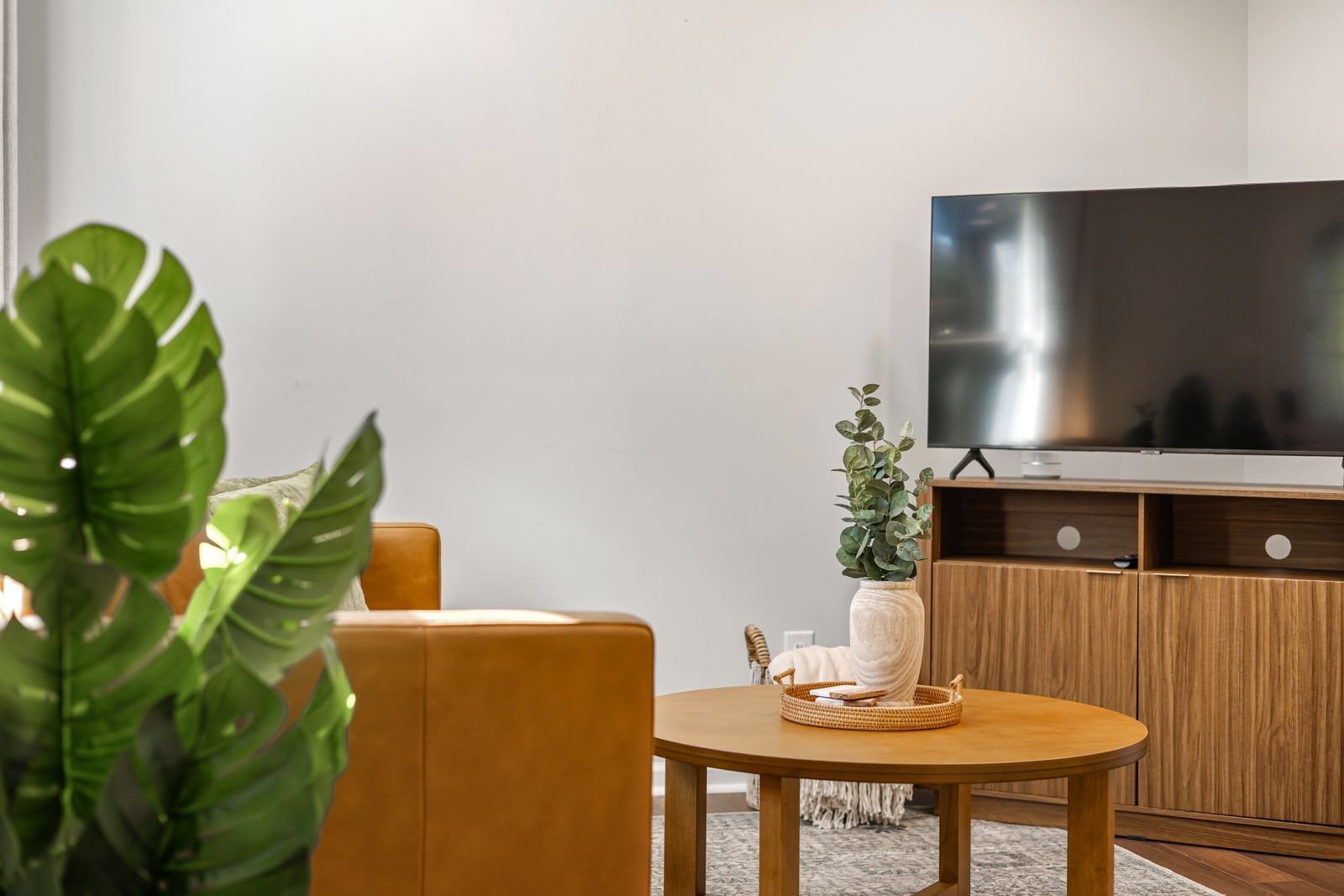
A stand is the simplest renter-friendly option. Choose one that is stable, wide enough for the television’s feet or base, and no deeper or wider than the wall run can spare. Leave space behind or beside it for plugs if the outlet is low. A stand also gives you a place for a streaming box, a remote, and a short cable run. If the stand sticks into the only walkway, it is too deep, even if the television itself would fit.
Wall-mounting can free floor space, but it is not a default in a rental. Check the lease first. Many agreements limit holes in walls, and some buildings have concrete, brick, or metal studs that are not a casual weekend job. If you do mount, use a proper mount rated for the television’s weight and size, and fix it into a wooden stud or into a fastener system the mount maker specifies for your wall type. Do not hang a TV from a picture hook, adhesive strips, or an improvised wire. If you cannot find a stud, or the wall is masonry and the lease or your comfort level does not support a proper install, keep the TV on a stand.
Hanging art and other wall items without damage is a wider rental topic in How to Decorate a Rental Apartment Without Damaging Walls. A television is heavier and has a power cord; treat it as a safety choice, not as décor. If you move out, a mount may need a proper patch, so plan for that before you drill.
Watch for glare, and keep a walkway clear
A window beside or opposite the screen can wash the picture out in the afternoon, or bounce a bright rectangle across the glass at night if a lamp sits behind you. Before you settle the placement, look at the wall at the times you actually watch. If the main window hits the screen directly, try sliding the stand along the wall, angling the set slightly, or using a renter-friendly curtain or shade on that window during the brightest hours. Do not block the only daylight in the room just to hide a television all day.
The walkway matters as much as the picture. You should be able to pass the TV, the stand, and the sofa without turning sideways every time. If the only path from the door to the kitchen runs in front of the screen, leave enough clear floor that a person can walk through while someone is sitting. Do not let the stand, a low media bench, or a stack of devices pinch that route. In a studio, the television may also face a bed or a dining table; the whole one-room plan is in Studio Apartment Furniture Layout: Make a One-Room Home Feel Bigger, and a divider is a separate choice in Best Room Dividers for Studio Apartments. This guide’s job is narrower: the set should not block the path you already use.

Route cables so they are not a trip hazard
Power cords, HDMI leads, and charger cables can turn a clean setup into a snare, especially when the outlet is not directly behind the stand. Keep the run as short and tight as you reasonably can. Use the stand’s cable opening if it has one, or a simple cable sleeve along the back leg of the stand, so cords are not looping across the floor. If you wall-mount, plan the cable path before you drill: a short drop to an outlet is better than a long cord across a walkway.
Do not run a cord under a rug as a hiding trick if it will be stepped on all day, and do not stretch a tight cord between the TV and a far outlet where someone can catch it. A power strip can live on the stand or on the floor behind it, out of the path, but it should not be a tangled pile at the corner you walk past in the dark. Broader cord control for chargers and small devices is in How to Organize Cables and Chargers in a Small Apartment. For the television, the rule is simple: nothing in the walkway, and nothing pulled so tight that a bump can yank the set.
Leave a little slack behind the stand so you can reach the plugs without dragging the whole unit. Unplug devices you are not using if the strip is crowded.
Keep the everyday setup simple
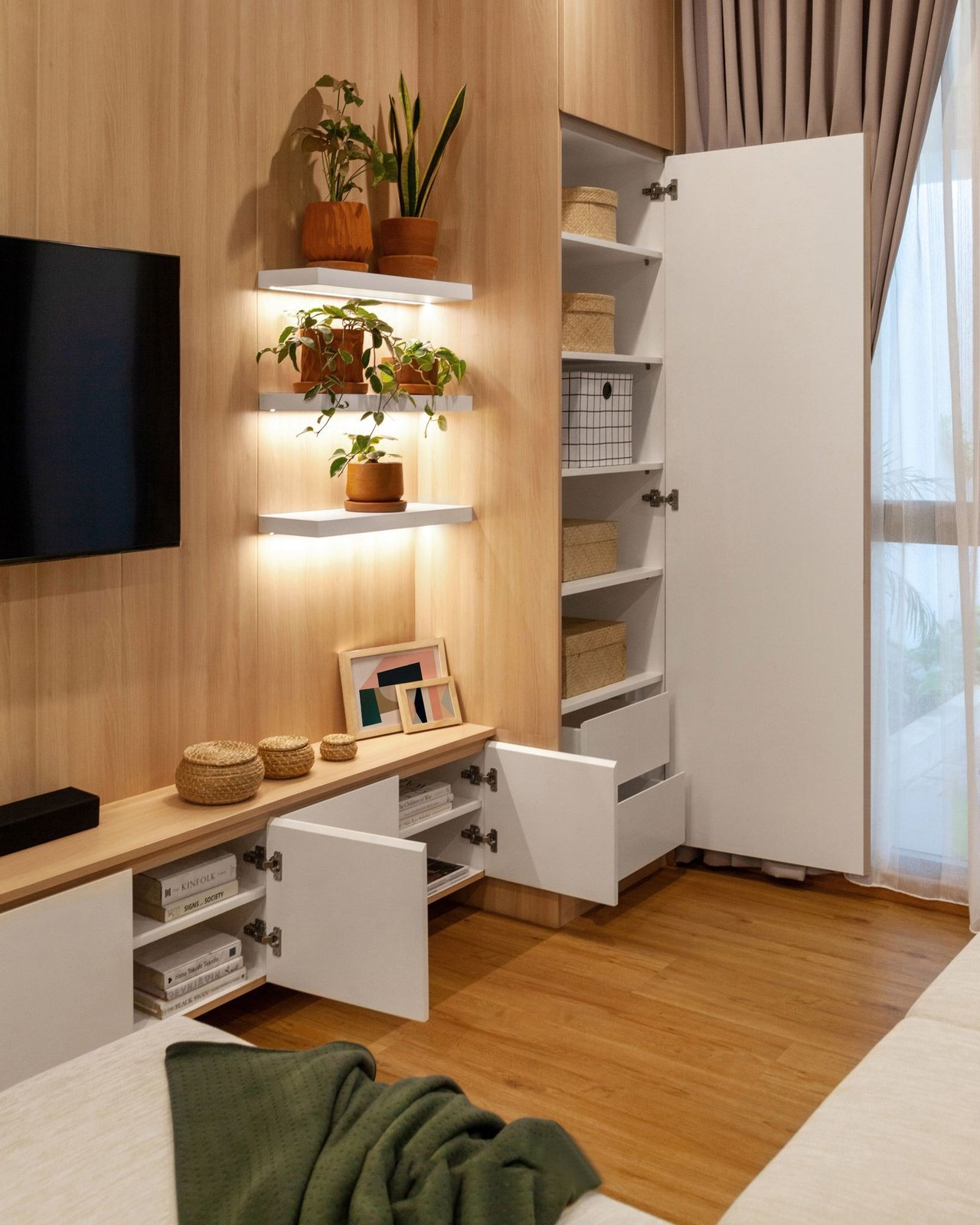
Once the set is in place, resist turning the stand into a second closet. A remote, one streaming device, and maybe a soundbar if you use one are enough. Extra boxes and a second lamp on the same narrow stand will make the wall feel heavier and can block vents. Give the set a little air at the back.
If the room is also a dining space or a work corner during the day, the screen can stay dark when you are not watching. The setup should work in the evening and in the morning. If the television still feels too large after a careful placement, the issue may be the stand width or the cables, not only the screen.

A small-living-room TV setup checklist
Use this before you buy a set or a stand, and again when you place it:
- I have sat in the actual seat and judged the screen size against that distance, not against a shop wall or a single inch formula.
- The TV faces the main seat at a comfortable height, on a stable stand or, if the lease allows, on a proper mount fixed into a stud.
- I have checked glare from the nearest window at the times I actually watch, and I can still walk past the set without turning sideways.
- Cables run behind the stand or along a planned wall path, not across the floor or under a rug in the walkway.
- I am not improvising a hang with picture hooks or adhesive, and I am not drilling a masonry wall I have not planned for.
How to choose—and how to apply it
The calm way to set up a TV in a small living room is to size the screen to the seat you already use, then place it so the room can still move. A stable stand is the renter-friendly default. A wall mount can free the floor, but only if the lease allows it and you use a proper mount in a stud, not an improvised hook. Watch for glare, keep the walkway clear, and keep cables out of the path. You do not need a cinema wall in a tight apartment. You need a television you can watch comfortably, walk past safely, and take with you or leave neatly when the lease ends.
FAQ
How do I choose a TV size for a small living room?
Sit in your usual seat and judge the size against that distance. Tape a paper rectangle at the size you are considering if you can. There is no single perfect-inch formula that works as scientific fact for every room. If the screen would dominate the wall or force you to sit uncomfortably close, go smaller.
Is a TV stand or a wall mount better for renters?
A stand is usually the simpler, renter-friendly choice. Wall-mounting can free floor space, but you should check the lease first and use a proper mount fixed into a stud, or a fastener system the mount maker specifies for your wall. Do not hang a TV from a picture hook or adhesive strips.
How do I reduce glare on a TV near a window?
Look at the screen at the times you actually watch. Shift the stand, angle the set slightly, or use a renter-friendly curtain or shade during the brightest hours. Avoid placing the screen directly opposite a strong window if you have another wall that still leaves a walkway.
How can I keep cables from becoming a trip hazard?
Keep runs short, use the stand’s cable opening or a sleeve along the back, and keep cords off the walkway. Do not hide a cord under a rug that is walked on all day, and do not stretch a tight lead to a far outlet. Leave a little slack so you can reach the plugs without pulling the set.
Can I mount a TV on any apartment wall?
No. Some walls are masonry or have metal studs, and some leases limit holes. If you cannot find a wooden stud or use a proper, rated fastening system, keep the TV on a stand. Do not improvise a hang, and do not assume you can drill every wall.


